A table-top box that turns an HDMI cable and a USB-C into room sharing and BYOD.
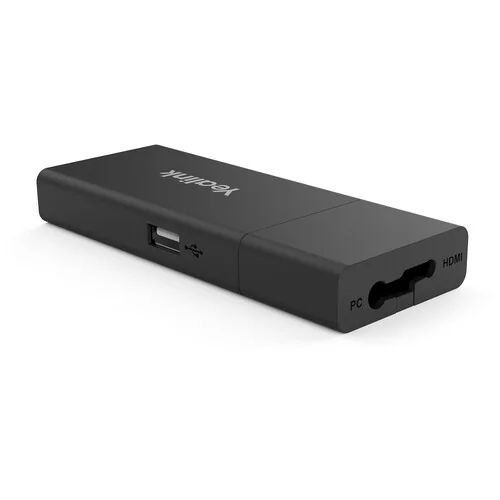
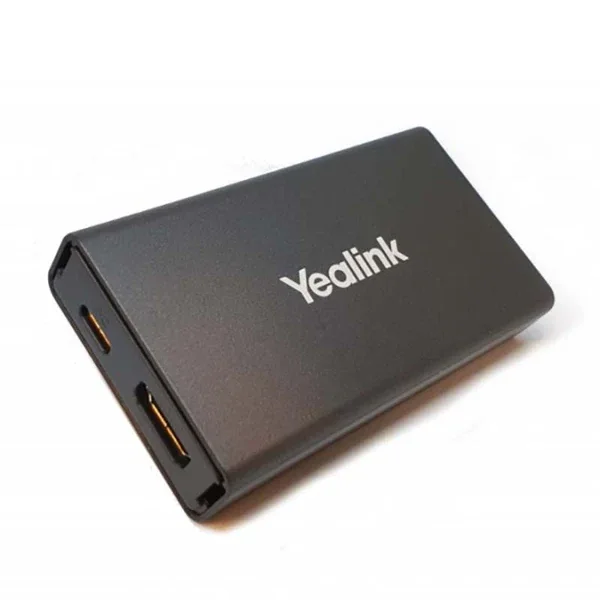
The Yealink VCH51 sharing box presents PC content to a Yealink video conferencing system. It provides a 100 Mbps RJ45 port, USB 2.0 Type-A and USB 2.0 Type-C with DisplayPort, and is designed for HDMI sharing and BYOD on Yealink endpoints.
Wired sharing and BYOD from one table-top box
USB Type-C with DisplayPort, so one cable carries video
ForYealink endpoints including MeetingBar A20 and A30
PlacementTable top, cabled to the endpoint
Description
Wireless sharing is convenient and wired sharing is certain. Both belong in a room that gets
used for real work: the pod for the visitor with a laptop, and a cable on the table for the
person who is presenting for an hour and cannot afford a dropped frame or a wireless
renegotiation halfway through. The VCH51 is the wired half, and it does two jobs rather than
one.
The first is content sharing, which is what the box is named for. It takes video from a
laptop on the table and presents it to the Yealink conferencing system, so the content appears
on the room display and in the call. Yealink describe it as simple to use, deploy and manage,
which for a table-top device translates into something a visitor can operate without
instruction.
The second job is BYOD, and it is the more valuable one. Bring-your-own-device mode means the
room's camera, microphones and speakers are handed over to the laptop as ordinary USB
peripherals - so a meeting on any platform the room does not natively run, whether that is Zoom
on a Teams room or a client's own conferencing service, still uses the good camera and the good
microphones instead of the ones built into somebody's laptop. That single capability is what
stops a well-equipped room being bypassed whenever an external party sets up the call.
The connector set is what makes that work. There is a USB 2.0 Type-C port with DisplayPort,
which is the important one: a single Type-C cable carries the laptop's video out and the room's
USB peripherals back in, so BYOD is one connection rather than two. A USB 2.0 Type-A port covers
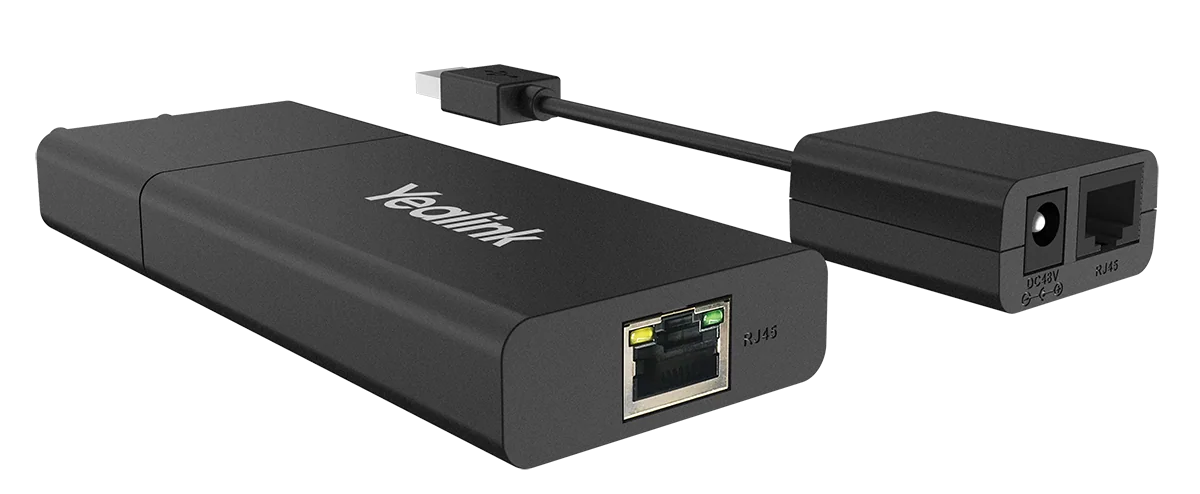
laptops without a usable Type-C, and a 100 Mbps RJ45 port carries the link back to the endpoint -
so the box sits on the table connected by a single structured cable run rather than needing
video cable pulled across the room.
The point to settle before ordering is compatibility, because this is an accessory to a
specific family rather than a universal device. It is designed for Yealink endpoints, and
Yealink document it for the MeetingBar A20 and A30 among others. Confirming it against the exact
endpoint in the room - and against a VCH51 PRO where that is the current model - is part of
quoting it, not something to discover on installation day.
Features
Wired certainty. A cable on the table for the presentation that cannot
afford a wireless hiccup.
BYOD mode. Hands the room's camera, mics and speakers to a laptop as USB
devices, for calls on any platform.
One Type-C cable. USB 2.0 Type-C with DisplayPort carries video out and
peripherals back in.
Type-A as well. For laptops without a usable Type-C port.
Single cable run. 100 Mbps RJ45 back to the endpoint rather than video
cable across the room.
Stops rooms being bypassed. External parties' calls still use the room's
good audio and video.
Compatibility confirmed. Checked against the exact Yealink endpoint, and
against the PRO model where current.
Applications
On the table in any room that hosts more than one platform.
Rooms used for external calls. Where clients and contractors run the
meeting on their own service.
Teams or Zoom rooms. BYOD covering whichever platform the room does not
natively run.
Boardrooms. A reliable wired path alongside wireless sharing.
Long presentations. Where wireless renegotiation is unacceptable.
Training rooms. Presenters connecting in turn from the table.
Existing Yealink installations. Adding BYOD to a room that lacks it.
Support & Documents
PT Vivo Asia Teknologi Indonesia supplies collaboration and recording equipment as a
fitted, working room rather than as a boxed item. Our scope typically covers:
Room survey: seating, sightlines, acoustics and display sizing.
Selection to suit the room size and the platform you already run.
Mounting, cabling, power and network design, including any extension runs.
Supply, installation, termination and commissioning.
Enrolment into your tenant, room resource setup and device management.
User handover and training, with ongoing support and maintenance.
Model availability, licensing and electrical details vary by variant and are confirmed
against the current manufacturer datasheet at quotation stage. Tell us the room dimensions,
the seat count and the platform you use, and we will come back with the right configuration
and a full bill of materials.
Use the enquiry button above for a datasheet, a specification or a project quotation.

 1 / 3
1 / 3